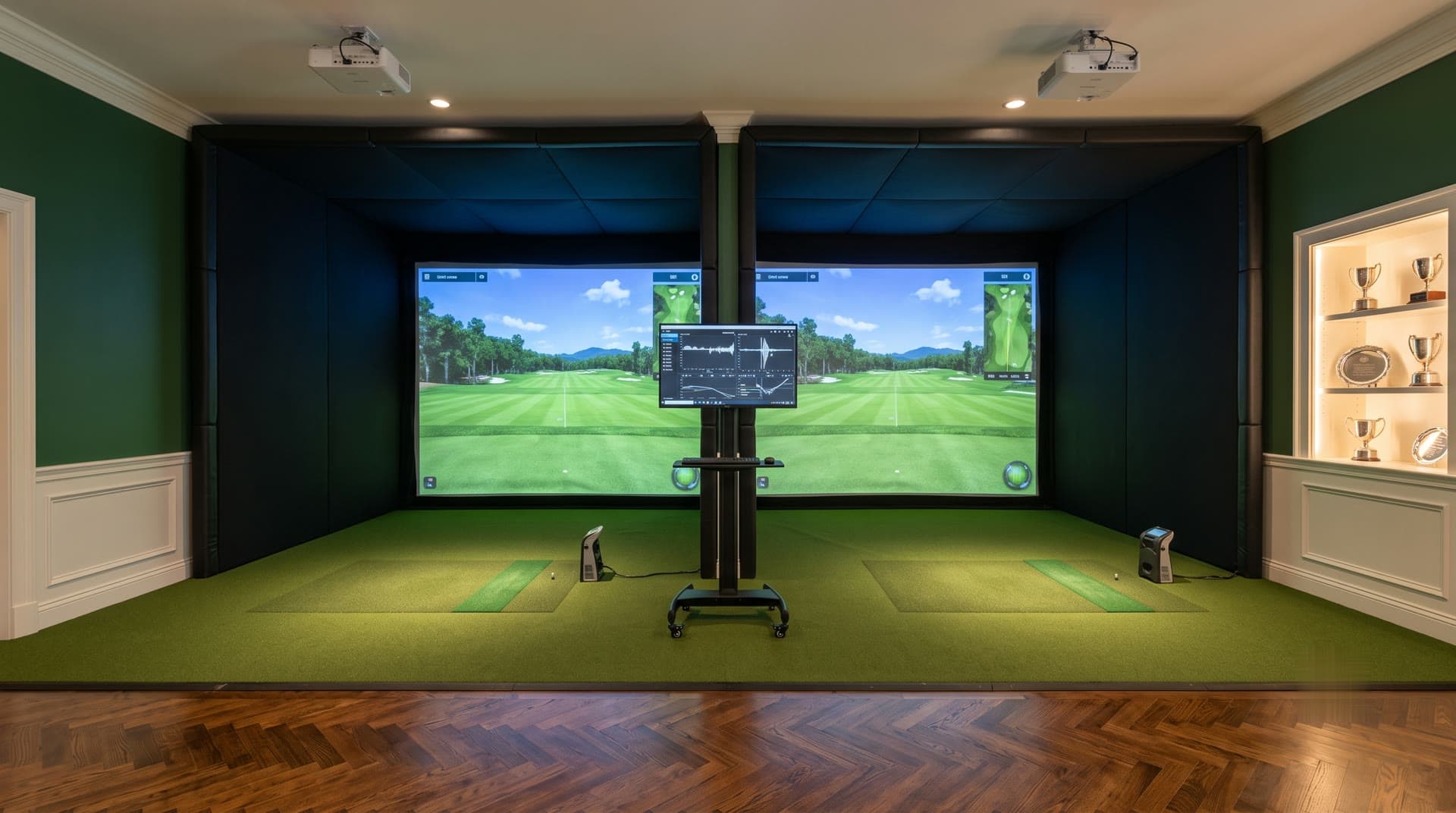
Why is the room as important as the simulator?
Two families can buy the same launch monitor and end up with very different rooms. One gets used every night. The other gets used for a month. The difference is rarely the golf. It is whether the picture looks good with the lights on, whether there is somewhere comfortable to sit, whether the game is on and whether anyone can figure out how to turn it all on.
- Lighting zones
- Speakers
- Projector
- Control keypad
Lighting
Lighting does more work in a simulator room than anywhere else in the house, and it is the piece most often done wrong.
Keep the screen dark
Any light that falls on the impact screen washes out the projected image. Fixtures near the screen should aim down and away from it, and windows need shades. Darker, matte wall finishes near the screen help too.
Light the hitting area evenly
Camera-based launch monitors read the ball best under steady, even light. Lights that flicker, shine into the sensor or throw hard shadows across the mat cause problems. We place fixtures for the launch monitor you choose.
Keep fixtures out of the swing
Pendants and surface fixtures over the hitting area are a hazard. Recessed or slim fixtures outside the swing zone keep everything safe.
Give every part of the room its own scene
Playing, watching a game, hosting at the bar and cleaning up all need different light. With lighting control, each is one button. Boston Automations won the 2024 Lutron Excellence Award.
Sound
Speakers that stay out of the way
In-ceiling and in-wall speakers keep the floor clear and stay out of the swing and the projector beam. Speakers on either side of the screen put course sounds where the ball is going, and surround speakers turn the room into a theater for movies and the big game. Boston Automations won the 2024 Sonance + James Loudspeaker Project of the Year.
Keep the noise in the room
Every shot hits the screen with a crack. Insulating the ceiling and walls, sealing gaps and choosing the right screen and enclosure keep the noise from reaching bedrooms above or next door.
Entertainment
The rooms that get used the most are built for more than golf.
- A TV wall for the game while friends wait their turn
- Movie night on the impact screen when nobody is hitting, with blackout shades and surround sound
- Seating and a scoring area where players can see the screen and the stats
- A bar or beverage area placed well clear of the swing
- Music through the same speakers, tied into the whole-house audio system
Control
A simulator room has a projector, a computer, a launch monitor, lighting, audio, a TV and climate. Without control, that is a basket of remotes and a list of steps. We tie the room into Control4, Savant or Lutron systems, so one button can dim the lights, set the temperature, lower the shades and start the simulator software. Another button turns it all off.
What to plan in each part of the room
| System | What to plan | When to decide |
|---|---|---|
| Bay | Screen size, enclosure, launch monitor, projector position, hitting mat and turf | First, from the room scan |
| Lighting | Zones, fixture locations away from the screen and swing, dimming and scenes | Before the ceiling is closed |
| Sound | Speaker locations, surround layout, insulation and enclosure | Before the ceiling and walls are closed |
| Entertainment | TV wall, seating, bar and storage | With the bay layout |
| Control and network | Keypads, control system, hardwired network for the PC | Before drywall |
| Climate | Heating, cooling and fresh air for a room full of electronics and people | With the builder or HVAC contractor |
Most of these decisions have to happen before the walls and ceiling are closed, which is why we design them with the bay. Builders and architects can use our trade checklist to plan blocking, power and pre-wire.
Why one team should design it all
When the simulator, lighting, audio and control come from different companies, each one designs around the others, and nobody owns the result. The lighting contractor does not know where the projector beam runs. The audio company does not know where the swing is. Fixing it means opening the ceiling again.
Boston Golf Simulators is a division of Boston Automations, so one team designs and installs all of it. You get one 3D design that shows the screen, enclosure, turf, seating and lighting, and one fixed price. Our installer guide explains what else that changes, and our cost guide shows how a finished room fits the budget.
